To put an RS-232 instrument on a network and keep the software working, use an Ethernet to serial unit. The unit connects to the instrument's serial port and to the network. The PC still sees a COM port, the same kind it always used, so the software that talks to the instrument does not change.
That is the whole idea. The rest of this article covers how to pick the unit, how to set it up, and what to check when the link does not come up.
Why a serial instrument ends up stranded
Scales, gauges, analyzers, marking units and older controllers still ship with RS-232 or RS-485 ports. The instruments last for decades. The PCs beside them do not.
New PCs have no serial port. The serial cable only reaches a few meters. And the software that reads the instrument was written to open a COM port and nothing else.
So the instrument stays tied to one old PC on one bench. When that PC fails, the data stops.
What an Ethernet to serial unit does
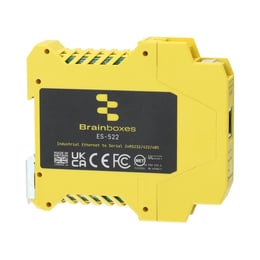 An Ethernet to serial unit has a serial port on one side and an Ethernet port on the other. The instrument plugs into the serial port. The unit plugs into the network.
On the PC, the unit's driver adds a COM port. The software opens that COM port as if the instrument were plugged straight in. The data travels over the network in between.
The PC can now be in another room or another building. One PC can also read several instruments, each on its own COM port.
How to set it up, step by step
- Find the instrument's serial settings. Baud rate, data bits, parity and stop bits. They are in the manual or on the instrument's setup screen.
- Identify the serial standard. RS-232, RS-422 or RS-485. Brainboxes industrial units offer all three, selectable on screw terminals.
- Wire the port. Match transmit to receive and connect signal ground. For RS-485, check which terminal is A and which is B on both ends.
- Put the unit on the network. Give it an address your network owner agrees to.
- Install the driver on the PC. It creates the COM port.
- Point the software at the new COM port. Use the same serial settings the instrument uses.
- Test with the real software. Read a value and compare it with the instrument's own display.
What to check when it does not talk
- Settings. The baud rate, parity and stop bits must match on the instrument, the unit and the software.
- Transmit and receive. On RS-232, a swapped pair is the first thing to check.
- The serial standard. An RS-485 instrument will not answer a port set to RS-232.
- The COM port number. Some older software only accepts a low COM port number. The number can be changed on the PC.
- The network path. The PC must be able to reach the unit's address.
Picking the unit
A few facts about the installation decide the part number.
- How many instruments. Industrial units come with 1 or 2 ports.
- Where it mounts. DIN rail units go in the panel. Desk and rack units sit beside lab equipment.
- How hot or cold it gets. The industrial units are rated from -40 to +80 C. The desk and rack units are rated from -10 to +60 C.
- Electrical noise. A galvanically isolated version protects the port where grounds differ between the instrument and the panel.
- Power. The DIN rail units run from a 5 V DC supply, or from any DC supply up to 30 V already in the panel. Power over Ethernet versions run from the network cable.
The ES-551 is a typical industrial unit, with RS-232, RS-422 or RS-485 on screw terminals. Its Brainboxes product page has the full datasheet.
What drives the cost
- Port count. One unit per instrument, or a 2 port unit for a pair.
- Isolation and temperature rating. Isolated and wide temperature units cost more than basic desk units.
- The cable run. A network drop near the instrument is the cheap case. A new run is the larger cost.
- Setup time. Known serial settings make this an hour. Unknown settings make it a search.
How it is bought and who supports it here
Brainboxes hardware is orderable through Digi-Key and Mouser. Dynamic is the Brainboxes rep for Northern California and Northern Nevada. Tell us the instrument and the software, and we will come back with a part number.
If the goal is wider than one instrument, see how tool builders bring data off a tool beside the controller. The Brainboxes page has the full range.
At Dynamic we represent power, control and measurement lines for machine builders, panel shops and plants in Northern California and Northern Nevada, and we are Brainboxes' rep across the territory.